Compliance for every client,
from one console.
Your clients in insurance, lending and financial services need NY DFS, SOC 2 or HIPAA programs. Buffalo Sentinel gives you one MSP console to run them all, with the fleet and security tools you already use day to day.
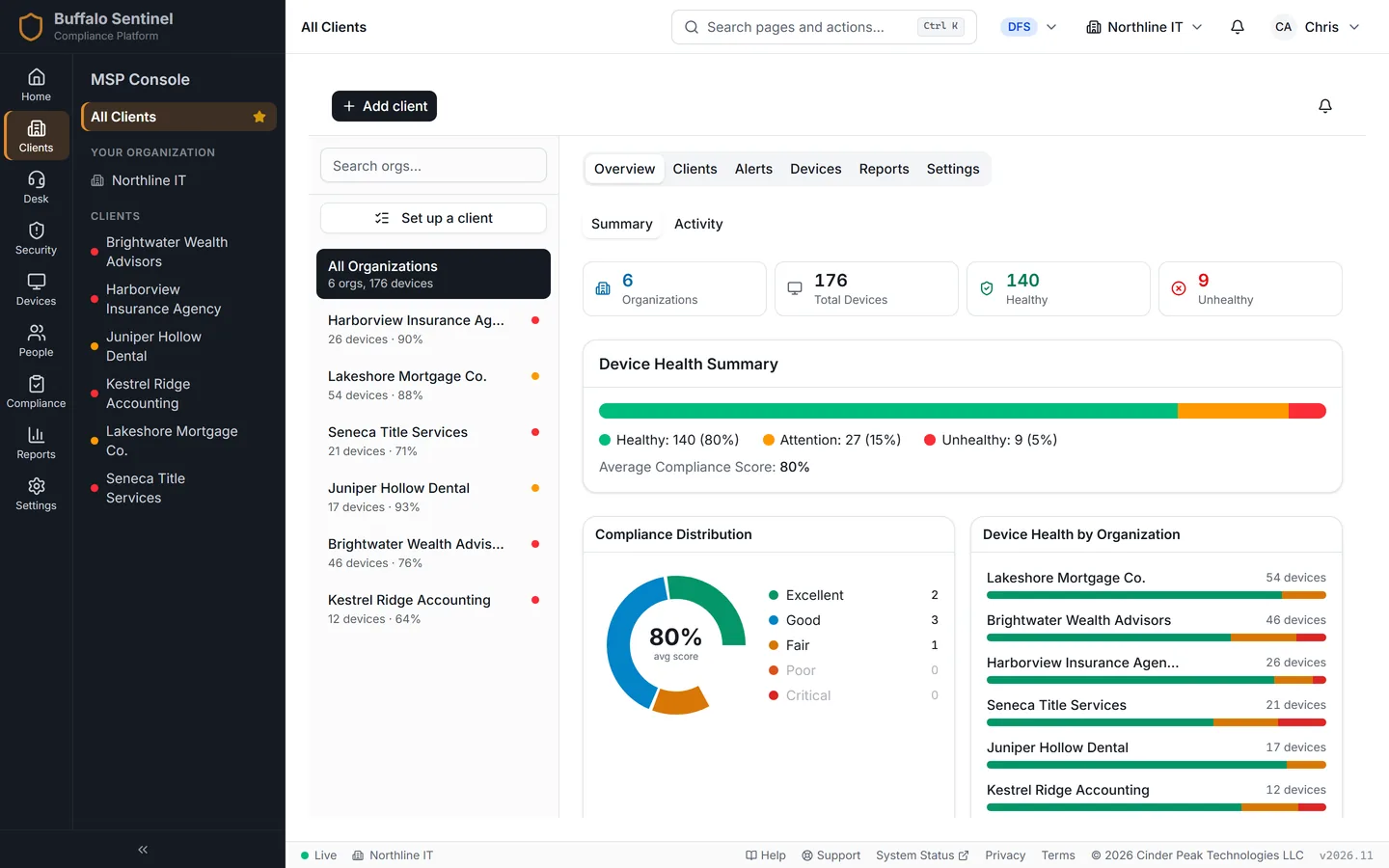
Every client's environment in one place.
One console, every client
An MSP overview across all your clients: devices, patching, software, vulnerabilities, activities and alerts, without switching tenants.
Devices and patching
Windows and Linux agents report into each client, with Windows Update patching, software inventory and vulnerability tracking rolled up to the MSP view.
SentinelOne threat queue
Map SentinelOne sites to clients, triage threats in one queue with SLAs, take response actions, and install the agent where coverage is missing.
Duo reviews
Review and grade Duo configurations across your clients, including your own Duo parent account.
Quick actions
Run common actions across client devices straight from the MSP console.
Technicians and roles
Give each technician the access they need with role-based permissions, and see who did what in the MSP audit log.
Run compliance programs, not spreadsheets.
Project templates, pushed to clients
Build a compliance project once (NY DFS, SOC 2, HIPAA) and push it to the clients you manage, with a start date and owner for each.
Portfolio view
Every entitled client's open compliance projects in one sortable table, filtered by status or framework, with CSV export.
Project and ticket SLAs
SLA clocks for compliance projects and support tickets, with business hours, a paused clock while you wait on the customer, and breach history.
Built to be resold.
White-label branding
Your display name, support email and support URL on client emails and in the dashboard footer, so clients hear from you.
Billing usage report
Set your per-unit rates and get an invoice summary per client for the period, ready for your billing system.
Client consent and audit
Clients approve your management relationship, and every MSP action is recorded, which is exactly what their examiners ask about.
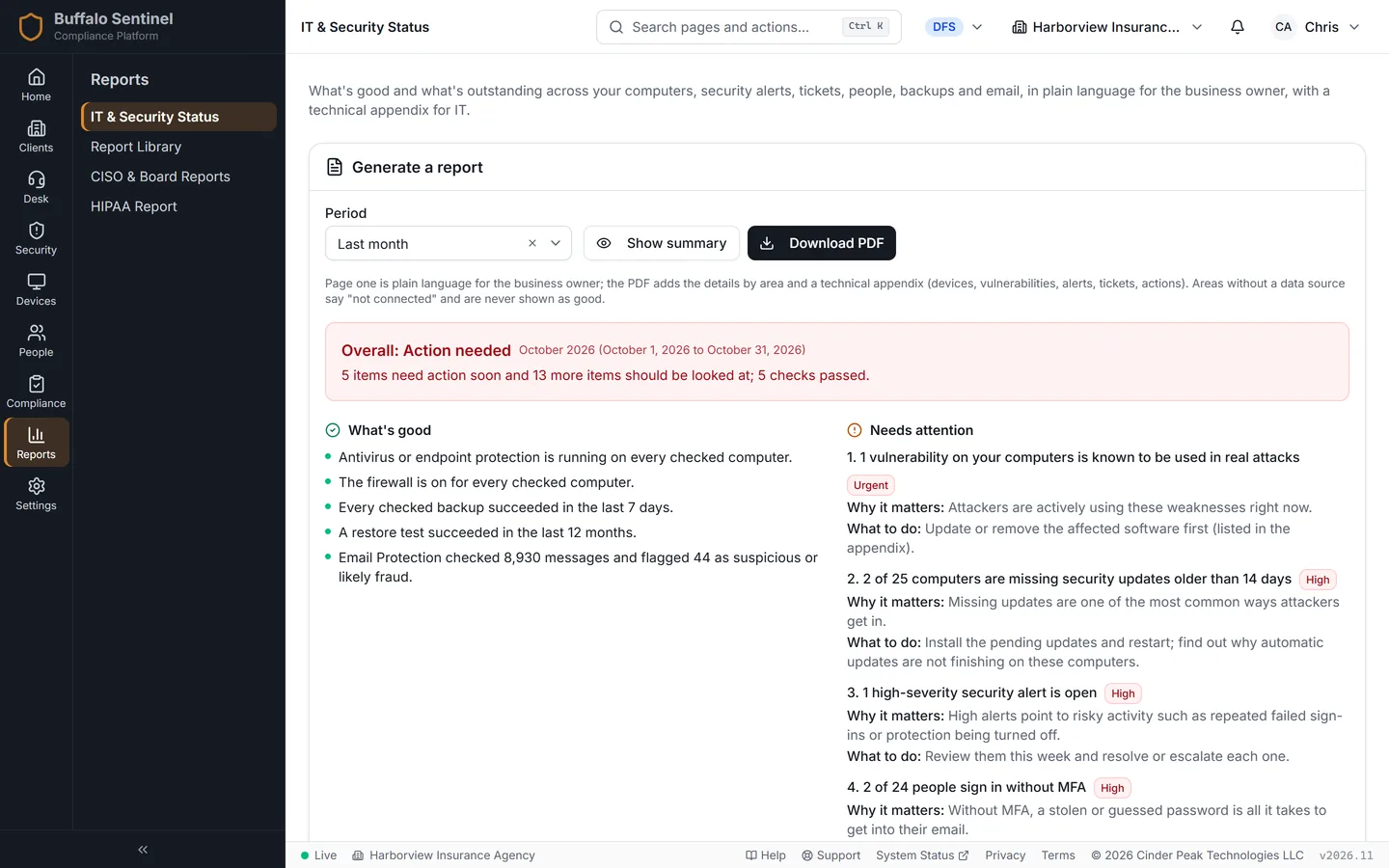
A monthly report your clients will read.
The IT & Security Status report puts each client's devices, updates, alerts, tickets, MFA, training, backups, email security and firewall findings on one page in plain language, with a technical appendix behind it. It carries your branding and can go out on a schedule.
Sample reports
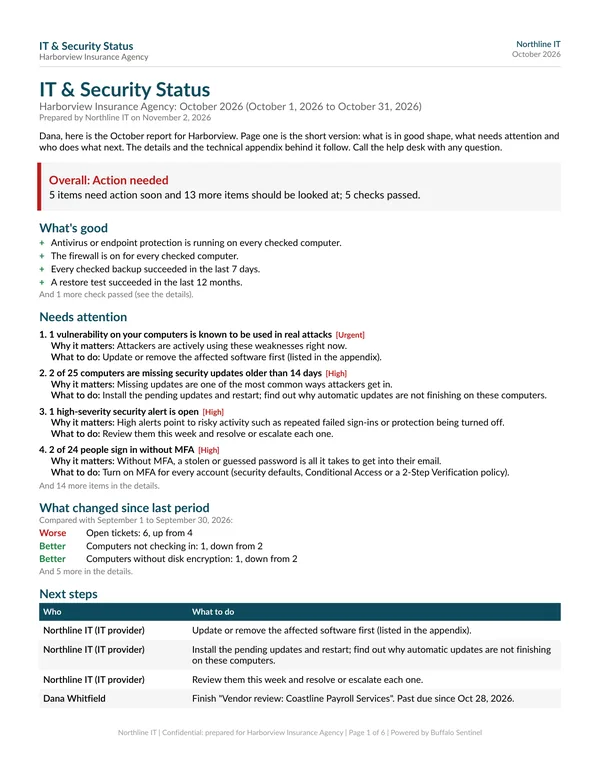
IT & Security Status report
The monthly report an MSP sends a client: overall status, what is good, what needs attention and why, changes since last month, next steps, and a technical appendix.
Open the sample PDF (6 pages) →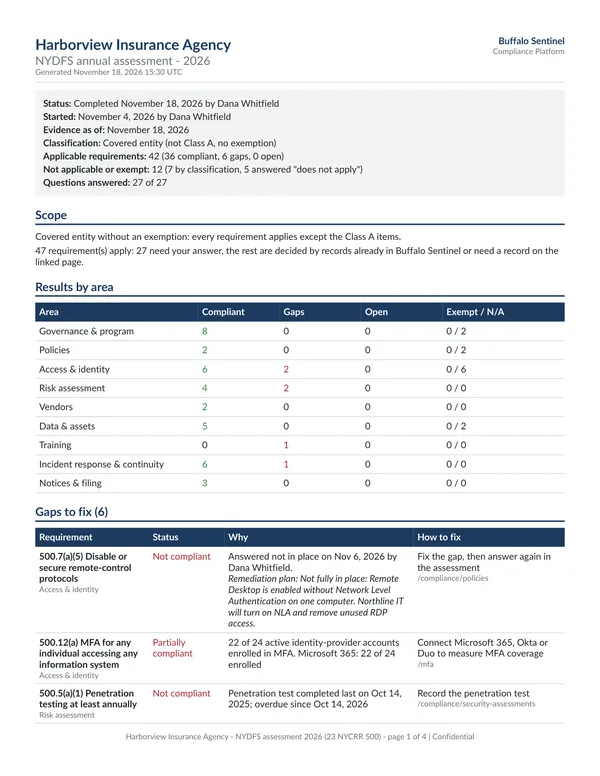
NYDFS assessment gap report
The result of the guided annual assessment: results by area, every gap with its citation and how to fix it, the answers given, and what it means for the April 15 filing.
Open the sample PDF (4 pages) →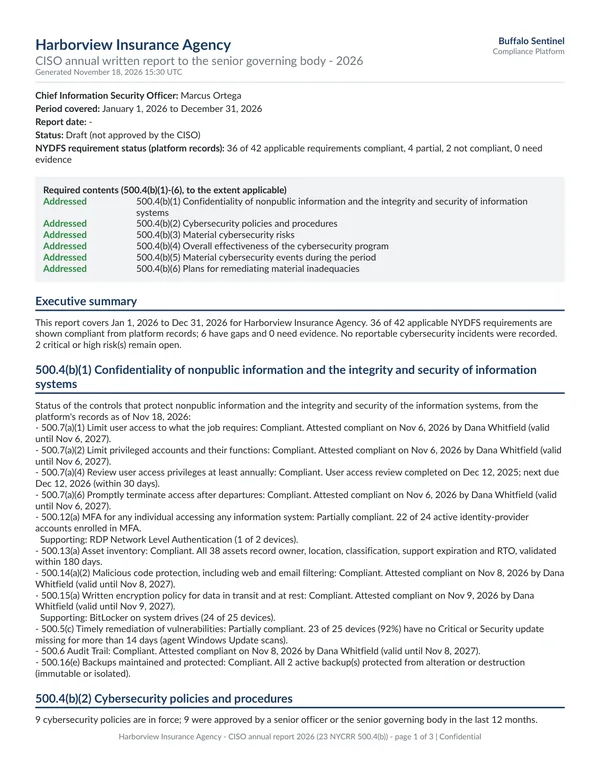
CISO annual report (draft)
The 500.4(b) report to the board, drafted from platform records for the CISO to edit and approve: the six required sections, risks, effectiveness and remediation plans.
Open the sample PDF (3 pages) →Generated by Buffalo Sentinel's own report code from fictional sample data: Harborview Insurance Agency, Northline IT and everyone named in them are invented, and so are the devices and findings.
Your clients' regulators ask about you.
Under NY DFS 500.11, every covered client must assess and oversee its third-party service providers, and an MSP with admin access is the first one on the list. Running their program on a platform that records consent, access and every action makes that oversight easy to show.
See the MSP console with your client mix.
A 30-minute walkthrough of the MSP console, project templates and billing report. Partner pricing scales with the number of clients you manage.